 MCF User Guide
Resident Issues
Resident Issues lets people report local problems — potholes, broken streetlights, fly-tipping, litter, antisocial behaviour — directly from your website. Reports land in the admin panel where you track, update and resolve them, with a public list and map that keep the community informed.
How residents report an issue
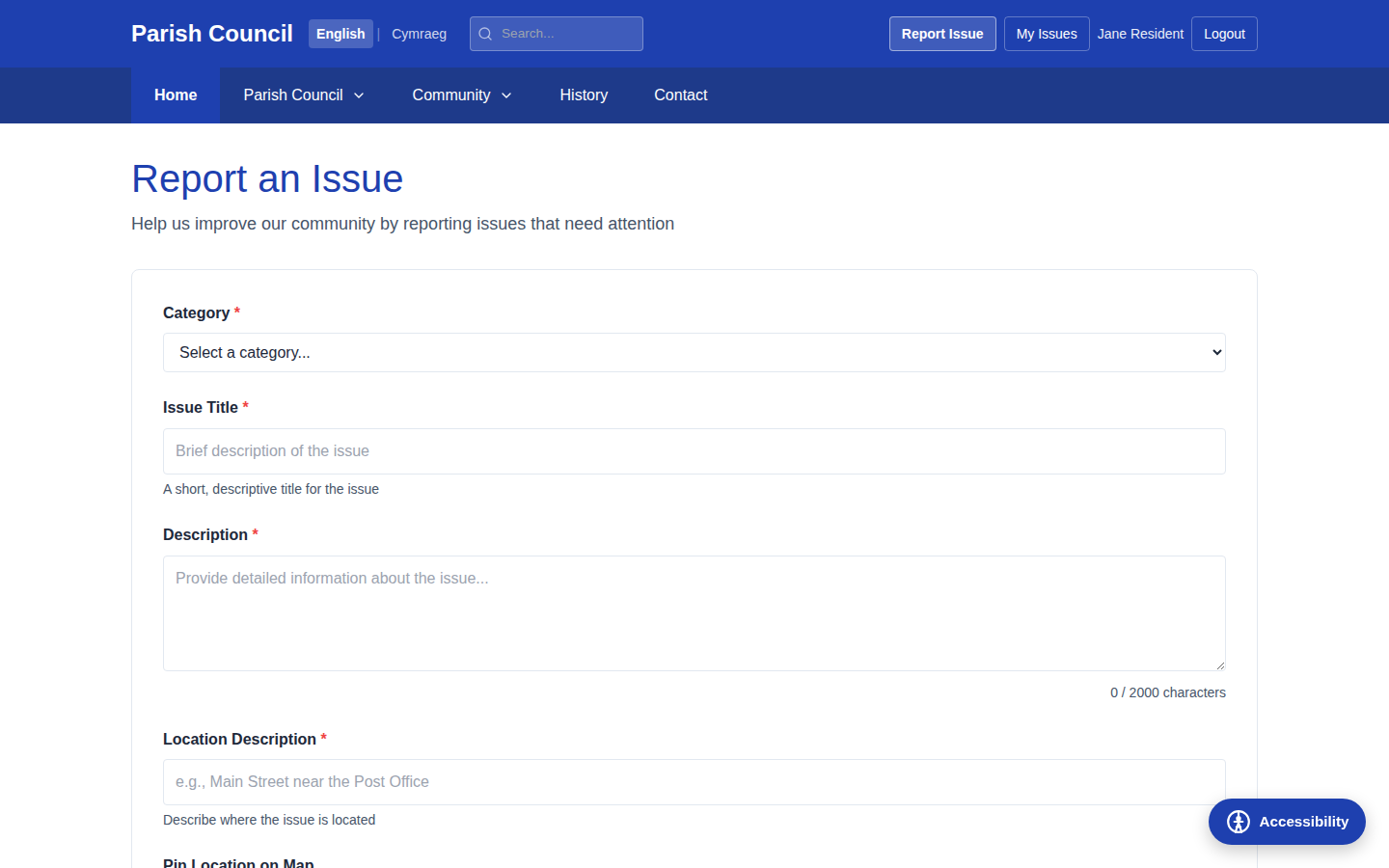
Residents sign in to a resident account and use the report form on the public website.
They describe the problem, choose a category, pin the location on a map and (where
allowed) attach photos. On submitting, they receive a unique reference number — for
example ISS-20260219-0001 — that they can use to follow their report.
Viewing reported issues
- Go to Community › Resident Issues in the sidebar.
- You will see every reported issue, with the most recent at the top.
- Use the filters to narrow the list by status, priority or category.
- Select an issue to open its full details.

Managing an issue
Open an issue to see the resident's description, any photos they uploaded, the location on a map, and its current status and priority.
- Change the status as the report moves through your process (see the table below).
- Set or adjust the priority — Low, Normal, High or Urgent.
- Add an update: an internal note for staff, or a public response the resident can see.
- Select Save to record the change.
Issue statuses
| Status | Meaning |
|---|---|
| Submitted | A new report awaiting your attention. |
| Under Review | You are assessing the report. |
| In Progress | Work to address the issue is under way. |
| Awaiting Third Party | Passed to another body (for example county highways) and awaiting action. |
| Resolved | The issue has been dealt with. |
| Closed | The report is finished and archived. |
| Rejected | The report fell outside the council's remit or could not be actioned. |
Respond to reports quickly, even if only to confirm you have seen them. Residents value knowing their report has been received and is being looked at.
Issue categories & routing
Categories group reports into types such as Roads, Lighting, Fly-tipping or Antisocial Behaviour. They also control what happens when a resident chooses that category on the report form.
- Go to Community › Resident Issues.
- Select the Issue Categories button at the top of the page.
- Add, edit or remove categories as needed.
- For each category, choose how reports should be routed (see below).
| Routing mode | What the resident sees |
|---|---|
| Internal | The standard report form — the issue comes to you to manage in the admin panel. |
| External authority | A card pointing the resident to another body's reporting page (for example, potholes to county highways), opening in a new tab. |
| Information panel | Guidance text with one or more links, for issues you want to explain rather than collect. |
Not every problem is the parish council's responsibility. Routing lets you send the right reports to the right authority — highways, the police, the district council — instead of collecting reports you cannot act on.
The public list and map
Where you have chosen to make resolved or in-progress issues publicly visible, residents can see them in two ways:
- A public list showing reported issues with their status and category — promoting transparency about what is being addressed.
- A map view plotting issues as pins, giving a visual overview of where problems have been reported across the parish.

The issues map shares your parish coordinates with the rest of the site — see the Interactive Map page for setting the parish location.