 MCF User Guide
Reports & Audits
Reports & Audits is where you publish your annual reports, audit certificates and other governance documents. Each one is tagged with a category and a year, so residents can filter straight to the document they're after.
Categories and years
Two things keep this page organised: the category a document belongs to, and the year it relates to. A new site comes with two categories, Reports and Audits; add your own to suit your council.
- Go to Parish Council > Reports & Audits and select Manage Categories.
- Select New report audit category, or Edit an existing one.
- Enter a Name (leave Slug blank and it is made from the name), an optional Description and a Sort order. You can also drag categories into order on the list.
- Switch Is active off to stop offering a category. Its documents then appear under "Uncategorised" on the website.
Adding a report or audit document
- Go to Parish Council > Reports & Audits and select New report audit.
- Fill in the fields below.
- Leave Is published on to show the document straight away, or switch it off to save a draft.
- Select Create.
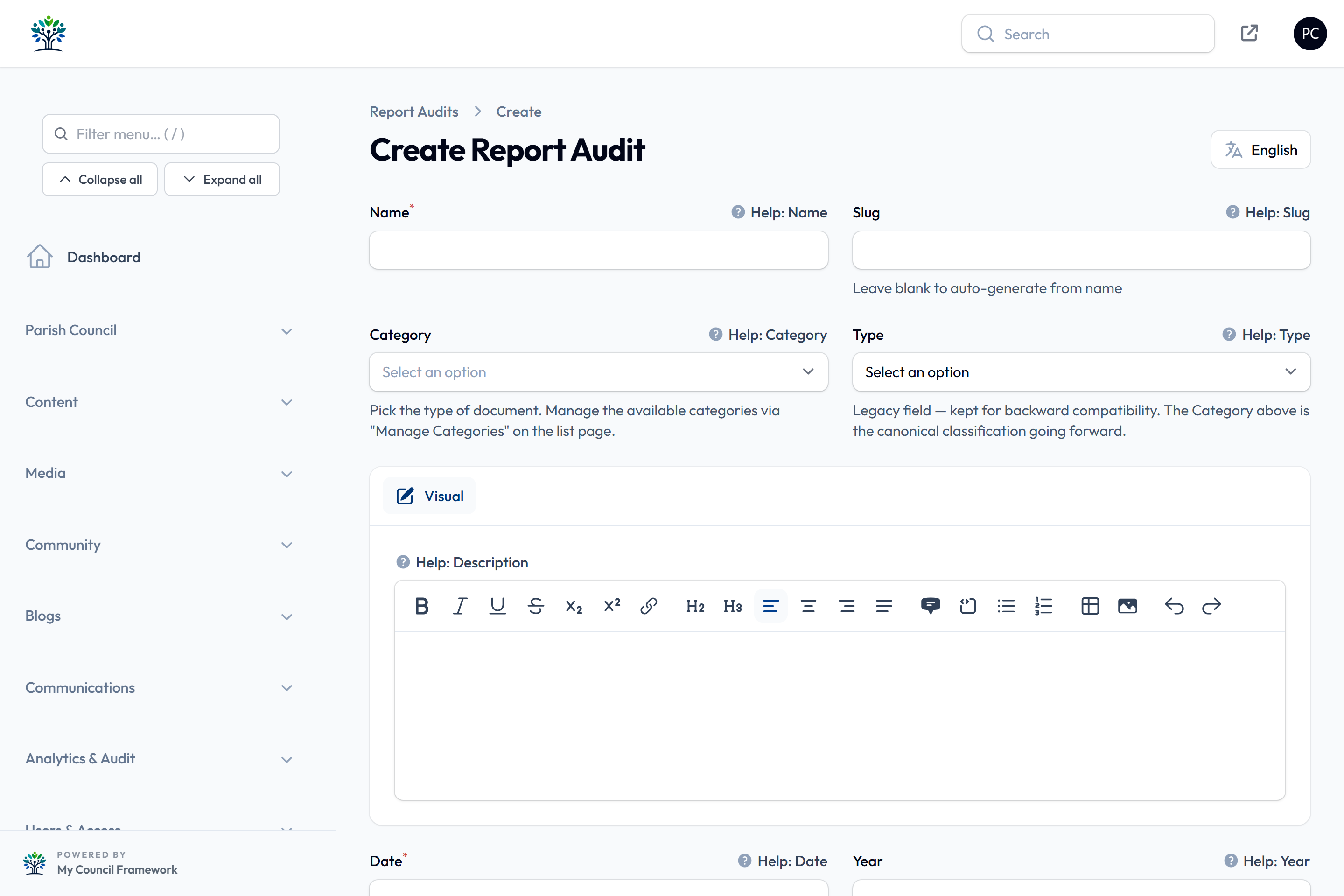
| Field | What to enter |
|---|---|
| Name | For example "Annual Governance Statement 2025-26". The Slug is made from it if left blank. |
| Category | Choose from your active categories. |
| Type | An older Report / Audit setting, kept for existing records. Use Category instead. |
| Description | A short summary. |
| Date | The document's date. |
| Year | Leave blank and it's taken from the date, or set it yourself. |
| Financial year label | Optional, such as "2024-2025", shown as an "FY 2024-2025" badge. |
| Documents | One or more files, picked from the Media Library with Browse Library (it opens in the Reports folder). |
| Sort order | Used when the page is set to manual order (see below). |
| Is published | On by default. Switch it off to keep the document as a draft. |
A file in a protected folder is visible only to clerks and super administrators, so residents would get a link that doesn't work. Keep public reports in ordinary folders.
A document approved in April often relates to the financial year just ended. Set the Year to the year it belongs to and add the Financial year label, so residents see "FY 2024-2025".
The list can be filtered by Category, Year or the old Type. To bring back a deleted document, set the Deleted records filter to show it, then select Restore. Only a super administrator can delete permanently.
What residents see
The Reports & Audits page (/reports-audits) is an ordinary page built with the
Reports & Audits block. Documents are grouped under category headings, with
"Uncategorised" last, and residents can filter by year and by category (only categories with published documents
get a button). Reports also appear in the site search.

The block's Order by option sets the order: Report date (newest first), the default, or oldest first; Display order (by each document's Sort order), ascending or descending; or Publication date, newest or oldest first. It can also hide the year or category filters, or the category headings. See Listing blocks.
Publishing your annual reports and audit documents is part of meeting the council's transparency obligations. Keep this page up to date each year, including the documents from your annual return once approved (in the AGAR area, if your council uses it).
Use the English / Cymraeg button at the top of the page to switch the form to Welsh, then type the Welsh and save. The name and description can be translated, and each language is saved separately.